Getting Access
NCShare provides computing and storage at no cost to faculty, staff, and students at participating institutions. Everyone starts with an NCShare account, created with your home institution login. Which describes you?
-
New user
Create your NCShare account.
-
Student or instructor
Use Jupyter or RStudio containers for a course.
-
Need GPUs
Request H200 access through your institution.
-
Existing user
Renew your account or manage SSH keys.
Non-commercial use only
NCShare is a non-profit research computing consortium funded by the National Science Foundation (NSF), and its computational resources are provided exclusively for non-commercial research and educational use. Any work performed using NCShare resources may not be used for commercial purposes, including commercialization of software or other outcomes derived from those resources. If a project involves or anticipates commercial use, NCShare resources may not be used for that work.
NCShare does not assert ownership over intellectual property in software that is independently developed by users.
No sensitive data
NCShare does not allow sensitive data. See Storage for what can be stored on the cluster.
Sign up for an account
Users at participating institutions sign up using their home institution account through COmanage Registry, provided by InCommon/Internet2. This lets you use your home institution login and password to access NCShare. New users go through a one-time process.
1.) Start your sign-up with NCShare COmanage
2.) Find and select your institution
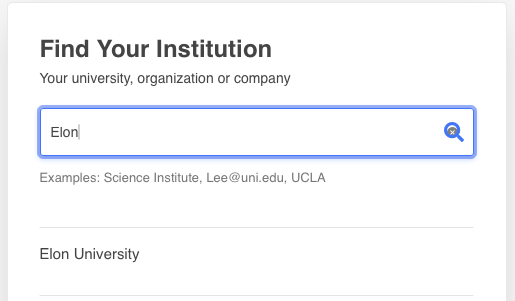
3.) You will now be redirected to your home institution to login with your normal username and password
4.) After successful login, you will be returned to the NCShare enrollment page and must verify your name and email address and then select SUBMIT at the bottom of the page
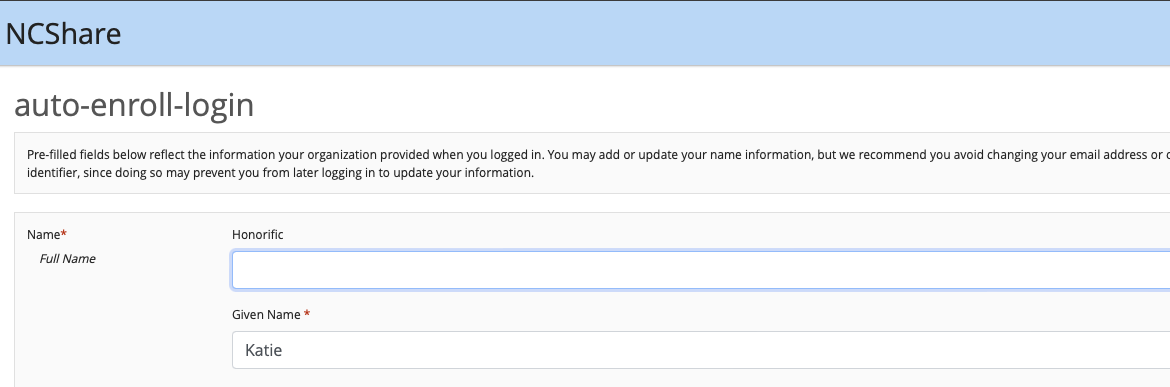
EXTREMELY IMPORTANT!
Do NOT close your web browser until the account provisioning is complete! Make sure you complete all the steps of the registration process in one sitting. Otherwise, your account will be stuck in a pending state and will need to be reset by an administrator.
EXTREMELY IMPORTANT!
Do NOT modify your ePPN or UID values in your account settings. Doing so will interfere with proper account provisioning leading to a failed account setup.
5.) After successfully setting up your account, you will be directed to our NCShare documentation to browse and launch available services.
Renewing your account
NCShare accounts require renewal every 12 months. You will receive an email notification from COmanage when your account is due for renewal. You can renew your account by visiting the NCShare Identity Management Portal.
Existing NCShare users can manage their settings, including SSH keys, in the NCShare COmanage Registry.